Live, small-group coding classes for home-educated kids
Learn Creative Coding with a real teacher
Everything your child needs for the lesson — the video call, the activity, and the notes — is on one simple webpage, so you just open it when class starts.
- ✓Live classes — parents, carers and siblings are welcome to join in
- ✓Small groups, so every child gets real attention
- ✓No Zoom links or software to install — it's all on this website
Real projects, made by real kids
Look what your child could make
These were made by children in our classes, using the same friendly website your child would use — nothing to download, nothing complicated.
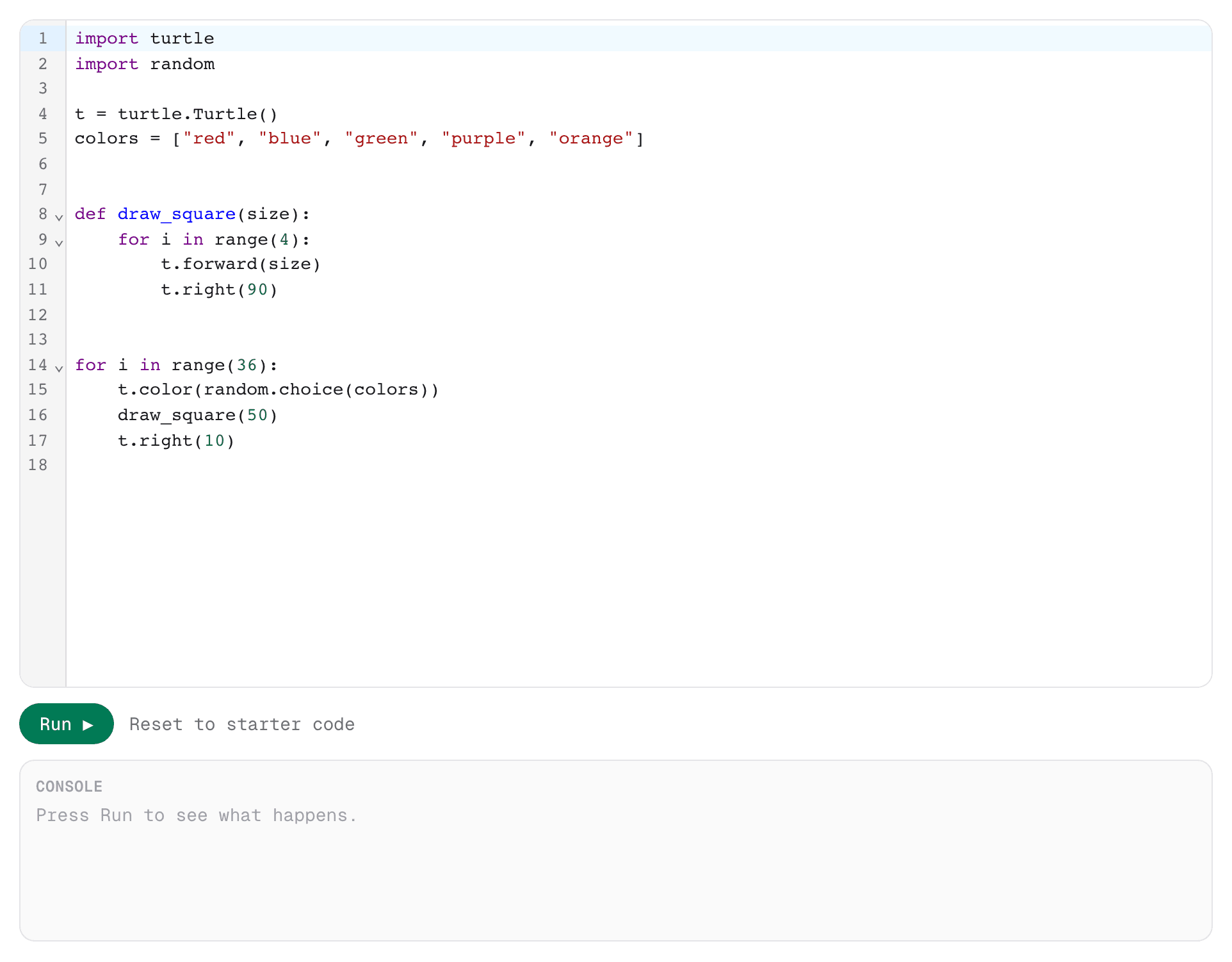
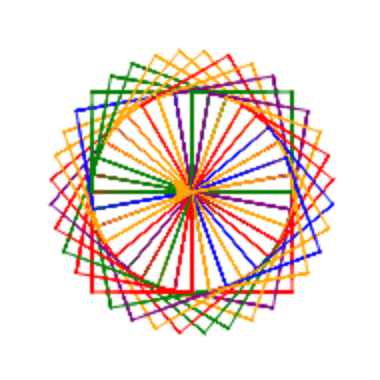
Foundations · Week 4
Spirograph
A function, a loop, and a splash of random color — turned into generative art.
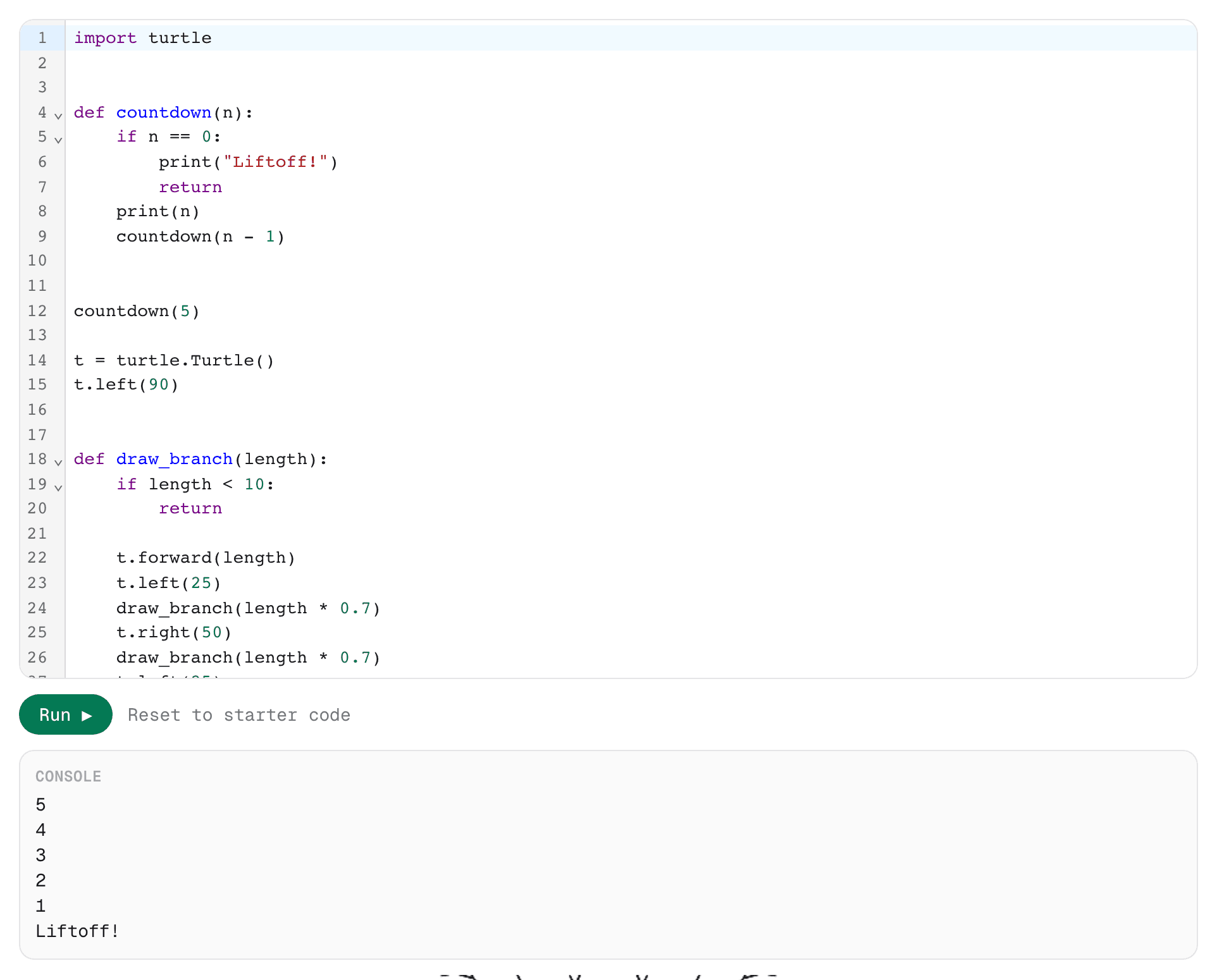
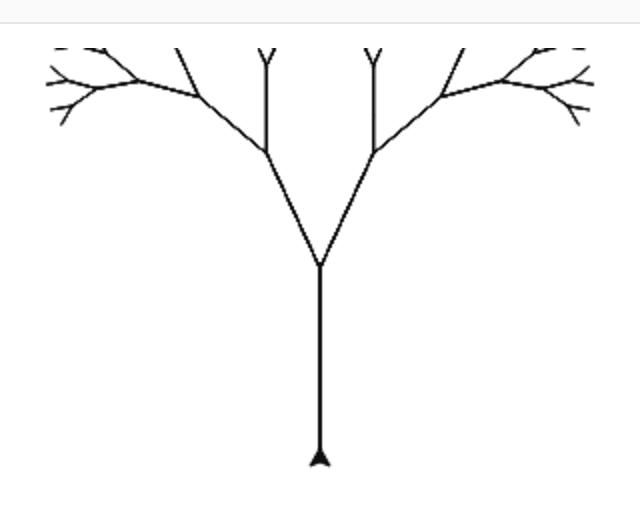
Builders · Week 3
Recursive Trees
A function that calls itself, branching out into a fractal tree.
Meet your teacher

Hi, I'm Tim!
Software developer, Coding Teacher, Home-ed papa
I spent years writing and delivering a software coding bootcamp, which was super fun! I've been doing youth work in large and small groups for over 20 years, at varying ages, and I have extensive experience working in schools with children with additional needs.
These days I write software full time and my wife and I home educate our 3 beautiful boys. These classes exist because I wanted home educators to have a coding option that isn't just a bunch of pre-recorded videos. It's live interactive lessons, in groups, and a teacher you and your child can get to know week after week.
What parents and learners are saying
“Had a brilliant lesson with Tim. Very welcoming, enthusiastic and knowledgeable. Thank you!”
Alex
“Tim explained everything in a clear and easy-to-follow way, making even tricky concepts simple to understand. I feel much more confident now!”
Ray
“Lovely day, good introduction to coding. Teacher Tim friendly and willing.”
Lizzie
Three courses, six lessons each
Each course is £60 and unlocks independently — start with Foundations, then move on whenever you're ready.
Foundations
The first steps: talking to the computer, making decisions, loops, drawing with turtle, and lists.
£60
- 🗣️ Week 1: The Magic Words
- 🧭 Week 2: Making Decisions
- 🎲 Week 3: Time Travel
- 🐢 Week 4: Drawing with Code
- 🎒 Week 5: The Inventor's Workshop
- 🚀 Week 6: Launch Day
Adventures in Data
Level up with dictionaries, string tricks, nested loops, and handling errors — building bigger text games.
£60
- 📇 Week 1: The Contact Book
- 🔍 Week 2: Word Detective
- 🎨 Week 3: Pattern Painter
- 🛡️ Week 4: Crash-Proof Code
- 🪢 Week 5: Hangman
- 🏆 Week 6: Quiz Show Showdown
Builders
Objects, recursion, and turtle games controlled by the keyboard — finishing with your own capstone project.
£60
- 🧩 Week 1: Blueprints for Things
- 🧑🤝🧑 Week 2: The Team Roster
- 🌳 Week 3: Recursive Trees
- 🕹️ Week 4: Arrow Key Explorer
- 🎮 Week 5: Capstone Kickoff
- 🎉 Week 6: Grand Finale
Questions parents ask us
- Do I need to know how to code to help my child?
- Not at all. Lessons are live and fully guided by Tim — your child doesn't need a coding expert at home, just someone who knows how to open a web browser and a bit of encouragement
- What age is this for?
- Any age if what you want is to learn to code, but its written with children aged 7–13 in mind.
- Is my child safe during lessons?
- Tim has a DBS check and years of experience working with children, including those with additional needs. Lessons are small groups, and parents are welcome to sit in any time.
- What happens if we miss a week?
- No problem — lesson notes stay available afterwards so your child can catch up in their own time.
- What if it's not the right fit?
- If your child isn't enjoying it after the first lesson, let us know within 7 days for a full refund.
How it works
- 1
Sign up
Just an email and a password.
- 2
Pick a cohort — £60 per course
Choose a class time, pay securely through Stripe, and unlock all 6 weeks. Buy one course, or all three.
- 3
Learn, live, in the browser
Lesson notes, a link to join, and a Python editor — right on the page. Nothing to install.